How to Troubleshoot DNS Resolution Failures: Hosting Connectivity Guide
Are domain propagation delays or DNS resolution errors breaking your hosting connectivity? Learn how to systematically diagnose and resolve DNS errors using system tools.
 John Toledo
How to Troubleshoot DNS Resolution Failures: Hosting Connectivity Guide
When migrating an application to a new cloud provider, launching a staging subdomain, or updating network firewalls, everything can appear perfect within your server dashboards. Your databases are online, your web processes are listening, and local health checks pass seamlessly. Yet, external users and internal microservices suddenly report a complete inability to connect, throwing severe network resolution errors.
In a live hosting infrastructure, Domain Name System (DNS) failures are particularly disruptive because they occur at the absolute entrance of the networking stack. If an external browser or an internal service proxy cannot resolve your domain name into a valid IP address, all subsequent application execution layers, security layers, and storage systems become completely unreachable.
Resolving DNS connectivity issues requires a disciplined diagnostic framework to trace the propagation path across authoritative registers, local resolver caches, and regional network routing zones.
The Core Problem: The Name-to-IP Disconnect
The fundamental objective of DNS is to function as a distributed, hierarchical directory mapping human-readable domain strings to machine-routable IP addresses.
The Propagation Bottleneck: When you alter a DNS record (such as an A, AAAA, or CNAME record) to point your domain to a new hosting provider, that change does not update globally in real time. Upstream internet service providers and intermediate routing nodes rely heavily on Time-to-Live (TTL) cache policies to reduce global internet traffic. If a legacy record maintains a high TTL value, networks will continue routing user connections to your decommissioned hosting nodes for hours or even days.
Furthermore, internal microservice infrastructures frequently suffer from local resolver blocks. If a server container caches an internal API domain name name and that API service scales horizontally onto a new cloud subnet, the container will continue attempting connections against dead private IP addresses.
The Architecture: The DNS Query Resolution Hierarchy
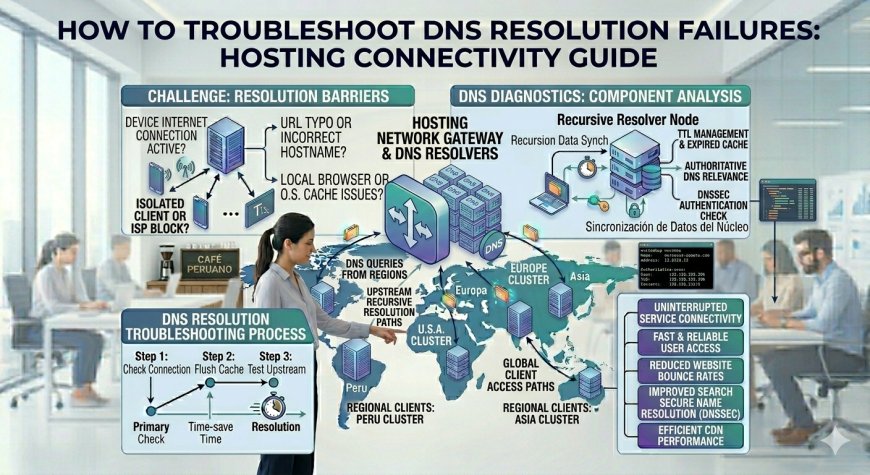
Isolating a DNS resolution failure requires evaluating the lookup process from the public internet backbone down to your server's local network interface configurations.
A professional network diagnostics workflow inspects the domain state across three explicit layers:
-
The Authoritative Registry Layer: Audits your primary domain registrar records and public Name Server (NS) allocations to verify that your global zone configuration files are intact and uncorrupted.
-
The Public Resolver Layer: Checks how major public recursive DNS infrastructure networks (such as Google, Cloudflare, and Quad9) view and distribute your target routing records.
-
The Local Client Resolver Layer: Inspects the caching parameters, hosts file directives, and upstream network configuration profiles operating inside the specific client system or hosting container.
Quick Contrast: Arbitrary Record Re-Writing vs. Systematic DNS Diagnostics
| Diagnostic Metric | Arbitrary DNS Record Re-Writing | Systematic Hierarchical DNS Diagnostics |
| Resolution Target | Blind (Guessing record configurations causes chaos) | Precise (Isolates the exact broken hop in the query path) |
| Propagation Velocity | Slow (Resets TTL timers, extending global downtime) | Instant (Validates records directly at the authoritative source) |
| Internal Context | Weak (Fails to diagnose private cloud network routing) | Strong (Audits local loops and private zone resolutions) |
| Security Validation | Low (Ignores potential DNS hijacking or spoofing) | High (Validates cryptographic signatures and records) |
| Telemetry Insights | None (Operates completely on speculation and trial) | High (Leverages raw query logs and system diagnostic flags) |
How to Systematically Diagnose and Fix DNS Failures
Restoring domain connectivity across your hosting infrastructure requires an ordered testing sequence to locate exactly where the address resolution chain is broken.
A Critical Hosting Rule: Always lower your record Time-to-Live (TTL) values to 300 seconds (5 minutes) at least 24 to 48 hours prior to executing a live infrastructure or hosting provider migration. Maintaining a high TTL value (like 86400 seconds / 24 hours) means that if your new hosting node experiences an immediate post-launch emergency, rolling back your DNS changes will take an entire day to distribute globally. By temporarily lowering the TTL ahead of time, any subsequent modifications you make during the cutover window will propagate across the public internet within minutes, mitigating long-term downtime risks.