How to Troubleshoot High CPU Usage: Hosting Diagnostics Guide
Is your web server slowing down or dropping traffic due to high CPU usage? Learn how to systematically diagnose CPU spikes, find rogue processes, and optimize compute resources.
 John Toledo
How to Troubleshoot High CPU Usage: Hosting Diagnostics Guide
When an infrastructure monitoring system triggers an alert for sustained 100% CPU utilization, the immediate operational impact is severe. Web requests begin queuing up, API response latencies skyrocket, and users experience sluggish page transitions or complete connection drops.
In a live hosting environment, a sudden CPU spike is rarely an isolated anomaly. It is the direct consequence of a specific computational bottleneck, such as unoptimized application code, an infinite execution loop, automated brute-force attacks, or database query degradation. Treating a CPU crisis by simply rebooting the server provides only a temporary reprieve, as the underlying architecture will inevitably saturate the processor again once traffic resumes.
Resolving high compute utilization requires a logical diagnostic workflow to isolate the precise process, thread, or code routine that is starving your infrastructure of processing cycles.
The Core Problem: Thread Starvation and Execution Backlogs
Operating system kernels rely on complex scheduling algorithms to distribute CPU time slices across all active system processes.
The Computational Blockade: When an application script or database execution pool demands continuous, unthrottled computation (such as processing complex cryptography or running an unindexed search across millions of rows), it locks up the assigned CPU core. In single-threaded runtimes or environments with limited core allocations, this behavior starves adjacent operational threads.
As a result, essential infrastructure processes—like the Nginx worker pools or SSH daemon listeners—cannot secure the necessary CPU cycles to execute basic system operations. This architectural gridlock converts a local software loop issue into a widespread infrastructure blackout.
The Architecture: The Compute Inspection Stack
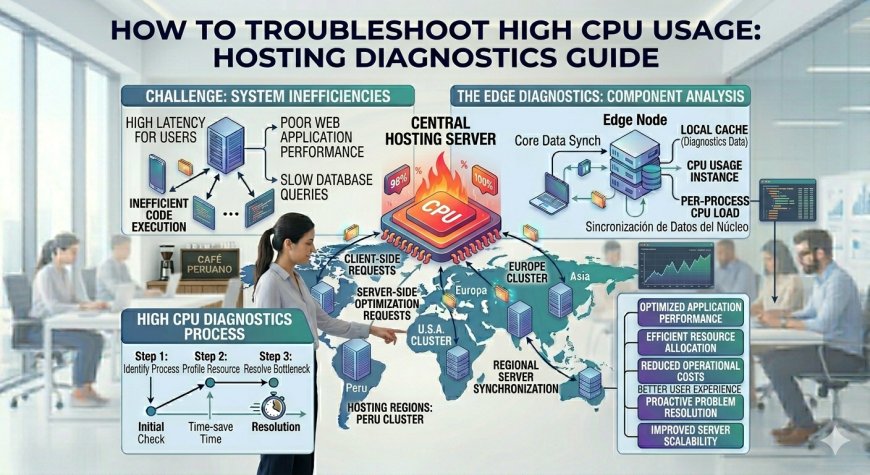
Isolating a CPU performance crisis requires evaluating your infrastructure from the high-level network traffic patterns down to the low-level application runtime execution paths.
A professional compute diagnostics workflow inspects the server environment across three specific layers:
-
The Traffic Ingestion Layer: Audits access logs and network metrics to determine if the CPU spike is driven by a legitimate surge in user activity, an aggressive web-scraping bot, or a malicious application-layer DDoS attack.
-
The Process Identification Layer: Utilizes low-level operating system monitoring utilities to trace global CPU usage down to specific process identifiers (PIDs) and system services.
-
The Code Runtime Layer: Inspects internal application execution threads, profiling slow functions, database transaction holds, or micro-service communication blocks that force high CPU execution loops.
Quick Contrast: Proactive Diagnostics vs. Speculative Cloud Upscaling
| Operational Metric | Speculative Cloud Infrastructure Upscaling | Proactive Systemic CPU Diagnostics |
| Financial Cost | High (Permanently increases cloud billing rates) | Zero (Optimizes resources on existing hardware clusters) |
| Root Cause Resolution | Temporary (Bad code logic will eventually swamp the new CPU) | Permanent (Eliminates the structural software flaw entirely) |
| Implementation Speed | Mediocre (Requires cloud deployment pauses or restarts) | Instant (Executed live on production nodes via terminal) |
| Infrastructure Insights | None (Treats the hosting node as a black box) | High (Pinpoints the exact code loop or database query) |
| System Security Value | Weak (Inadvertently funds and absorbs malicious bot traffic) | Strong (Identifies and blocks unauthorized resource abuse) |
How to Systematically Diagnose and Fix High CPU Spikes
Restoring computational equilibrium to a saturated server requires an ordered diagnostic execution plan to identify and mitigate the rogue execution source.
A Critical Hosting Rule: Never execute heavy computational tasks, such as video transcoding, data compression, or massive PDF compilation, synchronously within your primary web application thread pool. Handling intensive CPU operations inside the request-response lifecycle risks immediate thread starvation across your web server. Always offload processor-heavy workflows to a decoupled background worker queue hosted on isolated, specialized compute instances, ensuring your primary public API nodes remain lightweight, fast, and available.