
Bluehost Email Hosting: Professional Communication for Your Business in 2026
Should you use Bluehost for professional email? Learn how to set up business email accounts, the difference between basic webmail and Google Workspace integration, and best practices for 2026.
 John Toledo
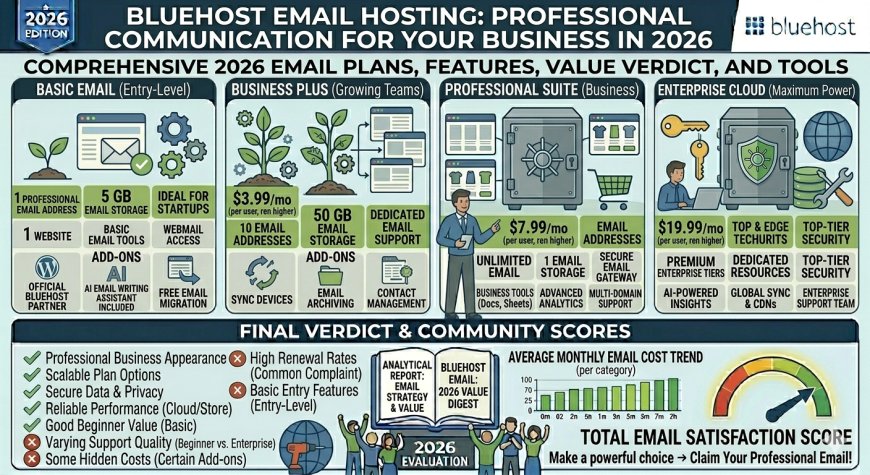
A professional email address (e.g., contacto@tuempresa.com) is a fundamental requirement for building trust with your clients. While Bluehost is famous for web hosting, their email solutions are equally important. In 2026, you have two primary ways to manage your business email through Bluehost: via their native Webmail services or through professional integrations like Google Workspace.
1. Native Webmail Services (Standard)
Every Bluehost hosting plan allows you to create professional email accounts linked to your domain name at no extra cost.
-
How it works: You manage your accounts directly through your Bluehost dashboard.
-
Pros: It is included in your hosting package and requires no additional monthly subscription.
-
Best for: Small projects, personal blogs, or businesses that do not require complex collaboration tools.
2. Google Workspace Integration (Recommended for Business)
For professional growth, Bluehost offers seamless integration with Google Workspace. This is the gold standard for business communication.
-
The Power of Google: You get the familiar interface of Gmail, combined with your custom domain.
-
Collaboration: Includes shared Drive storage, Google Meet for video conferencing, and the full Google Docs suite.
-
Reliability: You benefit from Google’s industry-leading spam filtering and 99.9% uptime for email delivery.
How to Set Up Your Business Email
Setting up your email is a straightforward process within the Bluehost panel:
-
Log in to your Bluehost dashboard.
-
Navigate to the Email & Office tab.
-
Select your domain and create your username (e.g.,
info@). -
Connect: If you are using native Webmail, you can access your inbox via
webmail.yourdomain.com. If you choose Google Workspace, follow the automated wizard to verify your domain and sync your account.
Why Professional Email Matters in 2026
-
Brand Identity: Using a generic
@gmail.comaddress can hurt your professional reputation. A custom domain email signals that you are a serious business entity. -
Deliverability: Professional email platforms like Google Workspace are less likely to end up in your client's "Spam" folder compared to basic, unauthenticated webmail services.
-
Security: Professional providers offer advanced encryption and multi-factor authentication (MFA), which is critical for protecting sensitive business communications.
Frequently Asked Questions (FAQ)
1. Is professional email included in the Bluehost hosting price? Basic webmail is included with your hosting plan. However, premium professional suites like Google Workspace require a separate monthly subscription.
2. Can I use my Bluehost email on my phone? Yes. Regardless of whether you use the native service or Google Workspace, you can configure your Bluehost email accounts on iOS, Android, or desktop clients like Outlook and Apple Mail via IMAP/SMTP settings.
3. What happens if I move my hosting away from Bluehost? If you use Google Workspace or a third-party email provider, your emails are separate from your web hosting. You will only need to update your DNS records to point to your new host, ensuring your email service remains uninterrupted.