VPS Hosting Explained: The Secret to Scaling Your Web Projects in 2026
Are you outgrowing your shared hosting? Learn why a Virtual Private Server (VPS) is the professional choice for performance, security, and scalability in 2026.
 John Toledo

VPS Hosting Explained: The Secret to Scaling Your Web Projects in 2026
If you’ve been running your website on a basic shared hosting plan, you’ve likely hit the "performance wall." Whether it's slow load times during traffic spikes or unexpected server errors, shared environments have limitations. In 2026, the bridge between basic hosting and enterprise-grade infrastructure is the Virtual Private Server (VPS).
But what makes it the go-to choice for professional publishers and developers? Let’s break it down.
What Exactly is a VPS?
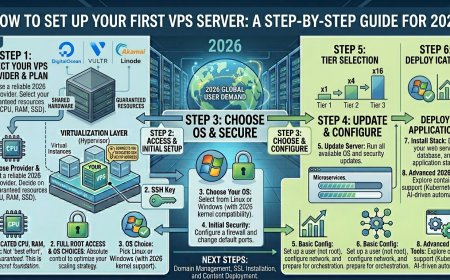
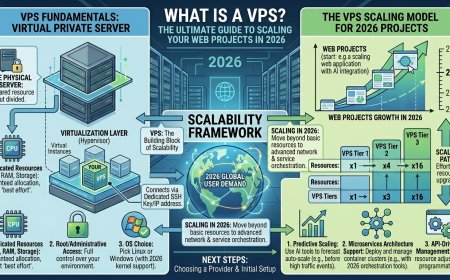
A Virtual Private Server (VPS) uses virtualization technology to carve out a dedicated "slice" of a powerful physical server for you.
While you are technically sharing the underlying hardware with other users, you have your own dedicated resources—CPU, RAM, and Storage—that no other user can touch. Think of it like a luxury apartment in a high-rise building: you have your own private space, your own utilities, and total privacy, even though you share the building's infrastructure with others.
Why VPS Hosting is the Upgrade You Need
1. Guaranteed Resources
In shared hosting, a "noisy neighbor" (a site on the same server that gets a traffic surge) can slow your site down. On a VPS, your resources are reserved. If your site gets a burst of traffic, your dedicated CPU and RAM are ready to handle it without interference.
2. Full Administrative Control
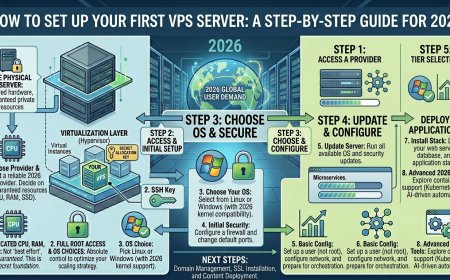
Shared hosting restricts what you can change. With a VPS, you get Root Access. This allows you to:
-
Install custom server software.
-
Configure advanced caching (like Redis or Memcached) at the server level.
-
Tighten security with custom firewall rules.
3. Superior Security Architecture
Security in a VPS environment is superior due to Isolation. Because your instance is partitioned, you are protected from the vulnerabilities of other websites on the same physical machine. If another site is hacked, it cannot "bleed over" into your server space.
Choosing Your Management Level
Not all VPS plans are the same. Your technical comfort will determine your path:
-
Unmanaged (Self-Managed): You are the system administrator. You handle updates, patches, and security. It is the most affordable route but requires technical expertise.
-
Managed VPS: The "Hands-off" choice. The provider acts as your IT department, handling updates, backups, and security hardening. It’s ideal for business owners who want performance without the headache.
-
Semi-Managed: A balance. The host handles the server OS and critical security patches, while you focus on the application and website files.
When to Make the Move
Don't wait for your site to fail. You should consider migrating to a VPS if:
-
Your traffic exceeds 20,000–30,000 monthly visits.
-
You need custom server configurations that aren't available on shared plans.
-
You are experiencing "503 Service Unavailable" or "Internal Server Errors" during peak times.
-
Security is a priority, and you need to implement custom firewalls or specialized encryption.
Final Verdict: Is VPS Hosting Right for You?
In 2026, the technology to manage a VPS has become incredibly user-friendly. With modern control panels and managed services, you no longer need to be a Linux expert to enjoy the speed and security of a dedicated virtual environment.
If you are serious about growing your online business, a VPS isn't just an expense—it's an investment in stability. By providing a consistent, high-performance environment, it ensures your site stays fast, secure, and ready for whatever traffic comes your way.
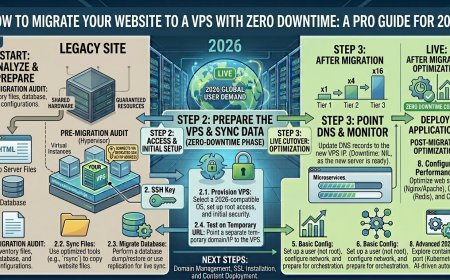
Pro-Tip: If you're nervous about the migration process, look for hosts that offer "Free Migrations." Many professional providers will move your entire site from your old host to your new VPS for free, ensuring zero downtime during the transition.