What Is a VPS? The Ultimate Guide to Scaling Your Web Projects in 2026
Are you hitting the limits of shared hosting? Discover what a Virtual Private Server (VPS) is, how it works, and when it's time to upgrade your site's infrastructure for better performance.
 John Toledo

What Is a VPS? The Ultimate Guide to Scaling Your Web Projects
If you are running a website or an application, you have likely reached a point where "Shared Hosting" feels too small, but a "Dedicated Server" feels like overkill. This is where the Virtual Private Server (VPS) comes in.
It is the industry standard for growing projects, offering the perfect balance between cost, performance, and control. But what exactly is it, and do you really need one?
Defining the VPS
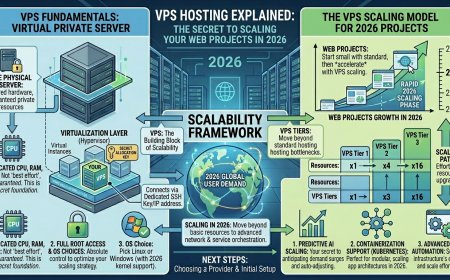
A Virtual Private Server (VPS) is a virtual machine that houses all the software and data needed to run your website or application. It is called "virtual" because it consumes only a portion of the underlying physical server's resources, managed by an external provider.
Even though you share the physical hardware, you have access to your own dedicated resources (CPU, RAM, Storage) within that virtualized environment.
Real-World Use Cases: Why Choose VPS?
1. Launching Web Applications
VPS hosting is ideal for running custom applications. For example, a business can use a VPS to launch an inventory management system, integrating reports and allowing multiple key managers to access data simultaneously, significantly reducing administrative time compared to traditional spreadsheets.
2. Creating Testing Environments
Developers use VPS servers to build and test new features cost-effectively. Because experiments often fail or need to be wiped, executing them in a private virtual environment saves significant capital compared to renting full physical hardware.
3. Secondary Storage
A VPS can act as a secure, centralized file, image, or email server, providing a controlled environment for a specific group of users.
VPS vs. Shared vs. Dedicated: The "Couch" Analogy
To understand the differences, imagine three different seating arrangements:
-
Shared Hosting: Like sitting on a couch with a large group of friends. If one person stretches out or hogs the space, everyone else feels the impact. You compete for every resource.
-
Dedicated Hosting: Like having the entire couch to yourself. It’s incredibly comfortable, but expensive, and you rarely use all that extra space.
-
VPS Hosting: Like a First-Class cabin on a luxury flight. There are other passengers on the plane, but no one shares your cabin. You have exclusive access to your resources, and you can easily upgrade or downgrade based on your needs.
When Should You Switch to VPS Hosting?
If your current shared hosting is showing its age, it is time to upgrade when you need to:
-
Manage Higher Traffic: Shared hosting degrades as traffic spikes. A VPS handles a higher volume of requests, ensuring your page load times remain fast.
-
Customize Your Environment: Unlike shared hosting, a VPS gives you "root" access. You can install custom software, specific security firewalls, and complex CRM integrations.
-
Eliminate Server Errors: If you are seeing "Internal Server Errors" or "Service Unavailable" messages, it’s usually because you are competing for power. A VPS provides the dedicated processing power your complex content requires.
Types of VPS Management
Your technical expertise will dictate which plan is right for you:
-
Unmanaged VPS: Best for tech-savvy businesses. You are responsible for OS updates, security patches, and software maintenance. It is the most cost-effective option.
-
Managed VPS: A "hands-off" approach. The provider handles everything—kernel updates, security, and maintenance—allowing you to focus entirely on your business.
-
Semi-Managed VPS: The middle ground. The provider handles the basics (OS patches, monitoring, and web server support), while you manage specific application-level configurations.
Is VPS Secure, Fast, and Reliable?
Yes. The security of a VPS comes from isolation. Because your instance is partitioned, you are protected from "resource-targeting" attacks that might hit other users on the same physical hardware.
Furthermore, because you are assigned your own dedicated bandwidth and resources, you get performance stability similar to a dedicated server at a fraction of the cost.
Final Thoughts: Why Choose VPS?
VPS hosting gives you access to a team of professionals dedicated to server administration for a low monthly fee. It reduces downtime, optimizes your environment for peak performance, and ensures your IT team can focus on the application rather than the hardware.
Pro-Tip: If your traffic is growing steadily, don't wait for your site to crash to move to a VPS. Proactive migration is always cheaper than dealing with the downtime and potential data loss of a server failure.